AI Product Photography with GPT Image 2: Ecommerce Workflow Guide
Introduction: A Faster Product Photo Workflow
For years, ecommerce sellers faced a difficult production choice:
Hire a professional photographer ($500–$2,000 per product), wait weeks for edits, and hope the shots match your vision. Or DIY with a smartphone and ring light, accepting inconsistent results that can weaken a listing.
On April 21, 2026, GPT Image 2 added a more practical option for image testing.
GPT Image 2 (ChatGPT Images 2.0) is a practical tool for product photography workflows. With native reasoning, 2K resolution, physics-aware rendering, and commercial use rights, it can help ecommerce teams create more consistent product visuals without booking a full studio shoot for every variant.
This post shows you exactly how to use GPT Image 2 to generate professional product photos for your Shopify store, Amazon listings, or DTC brand. You'll get working prompts you can copy and paste today.
Why GPT Image 2 Helps Product Photography Workflows
1. Resolution Meets Ecommerce Standards
GPT Image 2 outputs 2K resolution (typically 1536×1536 or similar), which is the sweet spot for ecommerce:
- Amazon Product Images: Recommend 1600×1600 minimum; GPT Image 2 exceeds this
- Shopify Collection Pages: 2K scales down beautifully without quality loss
- Social Media: 2K crops cleanly to Instagram, TikTok, and Pinterest specs
- Print Marketing: Sufficient for small-format materials and packaging
Unlike earlier AI generators that maxed out at 1024×1024 (unusable for professional listings), 2K resolution is production-ready. You won't need to upscale with third-party tools.
2. Physics-Aware Rendering: Light, Shadows, and Reflections Actually Work
GPT Image 2's native reasoning engine "understands" how light behaves in the real world. This means:
- Specular highlights on glass and metal match the light direction you describe
- Shadows fall naturally based on product shape and light position
- Reflections in watches, bottles, and polished surfaces look photorealistic
- Material properties are respected: fabric drapes realistically, liquid reflects accurately, plastic has appropriate sheen
Previous AI image generators often produced physically impossible images (light shadows, reflections facing the wrong direction, non-reflective materials with mirror-like shine). GPT Image 2 reduces those problems, though every output still needs review before it goes into a live product listing.
3. Text Rendering: Labels, Logos, and Packaging Text
For product photography, text matters. Packaging labels, product names, ingredient lists, and brand logos need to be readable and accurate.
GPT Image 2 can now reliably:
- Render product labels with correct spelling and typography
- Place logos in realistic positions (on packaging, hang tags, product surface)
- Generate ingredient lists, barcodes, and compliance text
- Maintain brand colors and font styles
This is critical for nutritional products, cosmetics, supplements, and branded merchandise—categories where packaging credibility directly impacts conversions.
4. Consistent Multi-Angle Shots (Up to 8 Images)
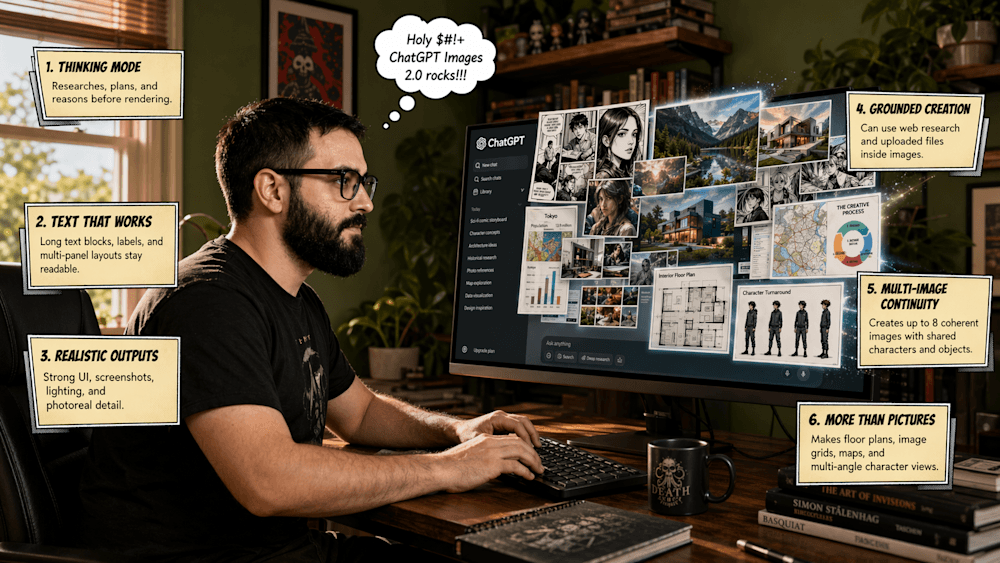
One of the biggest advantages for ecommerce: GPT Image 2 can generate up to 8 images with coherent, consistent styling. This means:
- Same product photographed from 4 different angles, all with matching lighting
- Multiple color variants with identical composition
- "First use" through "final result" sequence images that maintain visual consistency
- Secondary images that support your primary hero shot
You can build a complete product listing photo set in one generation session, rather than trying to Frankenstein together separate runs.
5. Commercial Use Rights Included
All images generated with GPT Image 2 come with full commercial use rights. You can:
- Sell products with these images
- Use them in paid advertising
- Modify and republish them
- Use them indefinitely
This is legally and ethically clear—no restrictions, no surprises, no risk of copyright claims.
6. API Access: Scale to Hundreds of Products
GPT Image 2 includes API access (gpt-image-2), which means you can:
- Automate product photo generation for your entire catalog
- Integrate into your Shopify or WooCommerce workflow
- Batch-generate photos when new inventory arrives
- Build custom tools tailored to your specific needs
For brands with 100+ SKUs, this shifts product photography from a major cost center to a marginal operating expense.
10 Types of Product Photos You Can Generate with GPT Image 2
Professional ecommerce listings need variety. Here are the 10 most important product photo types—and how to generate each one:
1. White/Transparent Background (Hero Shot)
Why You Need It: Amazon, Shopify, and most marketplaces require a clean hero image on white or transparent background as your primary listing photo.
Best For: Jewelry, electronics, beauty products, home goods
Copy-Paste Prompt:
Professional product photography of a [PRODUCT NAME] on pure white background.
Soft, diffused lighting from the front and left side, creating subtle shadows
that define shape without harsh contrast. Product angled at 45 degrees to the camera
to show depth and three-dimensionality. Natural reflections on any glossy surfaces.
Studio lighting setup, commercial-grade photography, 2K resolution.
Pro Variation (for transparent background):
[PRODUCT NAME] on transparent background. Professional studio photography.
Soft directional lighting, diffused and coming from upper left.
Clean, shadow-free composition suitable for ecommerce listing.
Example Output: A white porcelain mug on pure white, lit from the left, subtle shadow beneath the handle. Ready to upload to Shopify immediately.
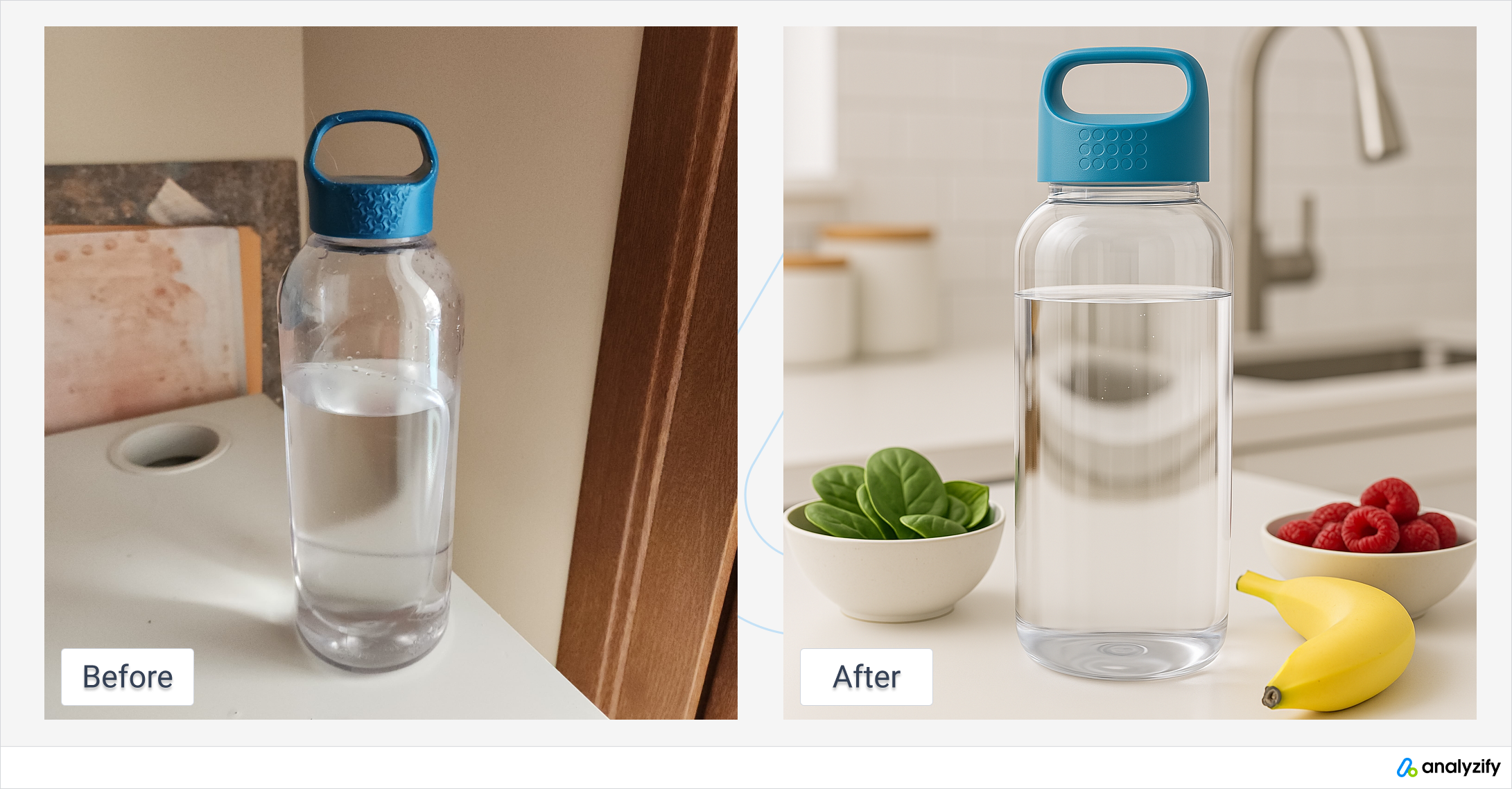
2. Lifestyle/Context Shot (Product in Use)
Why You Need It: Lifestyle images convert better than hero shots alone. They answer the question: "What will this look like in my life?"
Best For: Fashion, home décor, kitchen tools, fitness equipment, bags
Copy-Paste Prompt:
Lifestyle product photography of a [PRODUCT] being used in a [CONTEXT/SETTING].
Show the product in the hands of someone using it naturally.
Warm, natural lighting suggesting [TIME OF DAY/SEASON].
Background is [SETTING DESCRIPTION: cozy apartment, outdoor patio, modern kitchen, etc.].
The product is the clear focal point. Photographic realism, commercial photography style.
Example: "...of a ceramic coffee mug being held by someone in a modern kitchen during morning. Warm, golden sunlight from the window. White subway tile backsplash, wooden countertop. The mug shows the brand logo clearly."
Pro Tip: Specify "hands" or "being held by a person" to include human context; specify "no people" or "product only" to skip the human element if you prefer.
3. Flat Lay Composition
Why You Need It: Flat lays work exceptionally well on Instagram and Pinterest. They show the product in an aesthetically appealing "overhead" context.
Best For: Beauty/skincare, stationery, tech accessories, food products, jewelry
Copy-Paste Prompt:
Overhead flat lay photography of a [PRODUCT] and related items arranged artfully.
Top-down view from directly above. Soft, natural light creating subtle shadows.
[PRODUCT] is centered. Surrounding the product, include [2-3 COMPLEMENTARY ITEMS:
flowers, fresh herbs, matching stationery, coffee beans, silk cloth, etc.].
Neutral or [COLOR] background. Clean, minimalist composition. Professional commercial photography.
Example: "...of a skincare serum bottle centered, surrounded by fresh eucalyptus leaves, a white linen cloth, and a jade roller. Soft diffused light creating gentle shadows. White marble background."
4. Size/Scale Comparison Shot
Why You Need It: Customers need to understand the physical size of your product. A comparison shot clarifies dimensions instantly.
Best For: Jewelry, miniature items, new sizes, handbags, tech accessories
Copy-Paste Prompt:
Product photography showing [PRODUCT] positioned next to a [REFERENCE OBJECT FOR SCALE:
penny, smartphone, hand, coffee cup, ruler, etc.]. This clearly shows the product's size
and dimensions. Both the product and scale reference are equally in focus.
Soft lighting revealing all details. Clean background, commercial photography style.
Example: "...showing an 18K gold ring positioned on a person's hand, next to a dime for scale. Studio lighting. White background."
Pro Tip: Be specific about the scale reference. "Next to a penny" is much clearer than "next to something for scale."
5. Detail/Macro Close-Up
Why You Need It: Close-ups showcase craftsmanship, materials, texture, and special features.
Best For: Leather goods, watches, jewelry, textiles, premium products with visible quality markers
Copy-Paste Prompt:
Extreme close-up macro photography of [PRODUCT], focusing on [SPECIFIC DETAIL:
stitching, grain, mechanism, texture, engraving, fabric weave, etc.].
The photograph emphasizes the quality and craftsmanship of this detail.
Shallow depth of field with the detail in sharp focus, subtle background blur.
Directional lighting highlighting texture and material properties. Professional macro photography.
Example: "...of a leather messenger bag, focusing on the stitching and leather grain. The stitching is sharp, the leather texture is prominent showing the natural variations in grain. Warm lighting emphasizing the rich brown color."
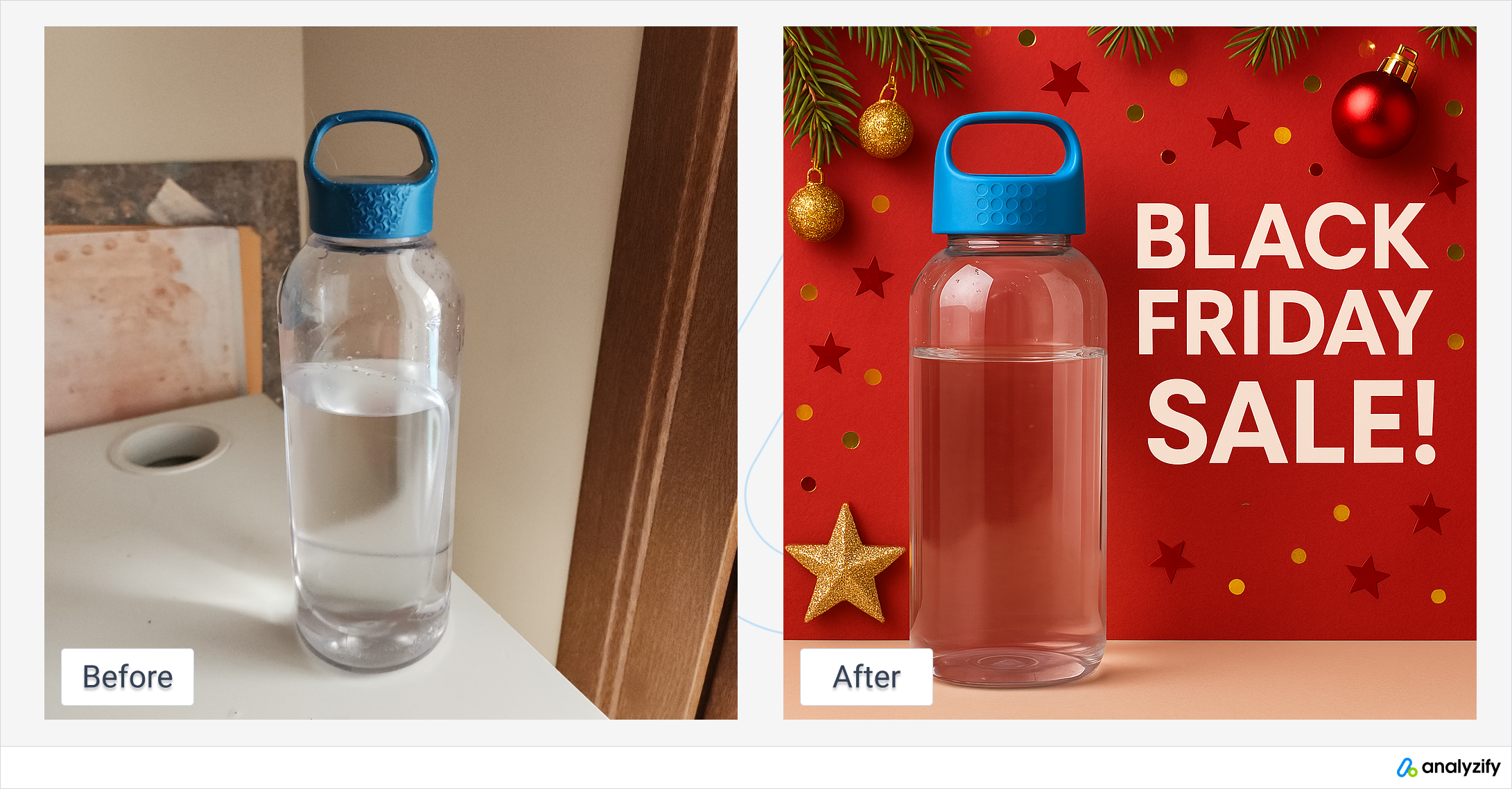
6. Seasonal/Holiday Themed Shot
Why You Need It: Holiday marketing photos convert significantly better during seasonal campaigns.
Best For: All products (positioned differently for different holidays)
Copy-Paste Prompt:
Professional product photography of a [PRODUCT] styled for [HOLIDAY/SEASON: Christmas, Summer,
Valentine's Day, New Year, etc.]. The product is the hero. Surrounding elements suggest
[HOLIDAY THEME: twinkling lights, evergreen branches, beach sand, candy canes, etc.].
Seasonal color palette of [COLORS]. Warm, festive lighting.
The product remains the focal point while holiday aesthetic enhances the composition.
Example for Christmas: "...of a luxury candle styled for Christmas. Surrounded by white pine branches, cinnamon sticks, and subtle twinkling lights in the background. Deep red and gold color palette. Warm golden-hour lighting."
Reusability: Generate seasonal versions quarterly to refresh your marketing without recreating the entire photo set.
7. Before & After Usage Shots
Why You Need It: Before-and-after images are often the clearest proof format for beauty, fitness, skincare, and productivity products.
Copy-Paste Prompt:
Side-by-side before and after product photography showing the results of using [PRODUCT].
Left side shows [BEFORE STATE: unfinished surface, worn condition, messy arrangement, etc.].
Right side shows [AFTER STATE: polished result, restored condition, organized arrangement, etc.].
Both sides use identical lighting and framing. Clean, clear composition.
The product being used is visible in the after image. Professional before-and-after photography.
Example: "...showing results of a furniture polish. Left side: scuffed wooden table with visible scratches and dullness. Right side: same table now glossy, scratch-free, mirror-like reflection visible. Same angle and lighting. Product bottle visible in bottom right of after image."
8. Social Media Optimized Shots
Why You Need It: Different platforms require different aspect ratios and compositions.
Copy-Paste Prompt for Instagram Square (1:1):
Instagram-optimized square product photography. [PRODUCT] is centered and fills most
of the frame. Simple, visually appealing background in [COLOR]. Bright, clear lighting.
Text overlay space at top and bottom (safe margins). This image performs well on Instagram feeds.
Copy-Paste Prompt for Instagram Story (9:16 Portrait):
Vertical Instagram Story product photography. [PRODUCT] positioned in center-to-left
portion of frame, leaving space for text overlay on right side. Eye-catching composition.
Bright, clear colors. Professional commercial style.
Copy-Paste Prompt for Pinterest (2:3):
Tall, vertical Pinterest-optimized product photography. [PRODUCT] is positioned in upper
two-thirds, leaving space for a text overlay in the bottom third (leave safe margin).
Visually rich background. Warm, inviting color palette. Text-overlay ready design.
9. Feature Callout / Infographic-Style Shot
Why You Need It: Highlight specific product features and benefits in a single visual.
Copy-Paste Prompt:
Annotated product photography showing [PRODUCT] with labeled callouts pointing to key features.
The product is clearly visible in the center. Around it, simple line drawings or icons
point to and label these specific features:
- [FEATURE 1: material/fabric type]
- [FEATURE 2: special mechanism/technology]
- [FEATURE 3: unique design element]

Clean, minimalist design. Educational and professional. Product remains the focal point.
Example: "...of an ergonomic laptop stand with callouts pointing to: 'Adjustable angle (8-40°)', 'Aluminum alloy construction', 'Fits laptops 10-17 inches', 'Non-slip rubber feet'. Isometric view. Light gray background."
10. Multi-Color Variant Shots (Consistent Styling)
Why You Need It: Ecommerce stores with multiple color variants need consistent imagery across all SKUs.
Copy-Paste Prompt:
Professional product photography showing [PRODUCT] in [COLOR 1], [COLOR 2], and [COLOR 3].
All three variants are photographed with identical studio lighting, angle, and background.
The styling is consistent across all three to show color options clearly.
Clean white background. Even, diffused lighting. Commercial photography standard.
Pro Tip: Request 2-3 color variants per generation. GPT Image 2's multi-image consistency means all variants will match in style and lighting, making it easy to populate your "Color" selector dropdown with professional images.
Copy-Paste Prompt Templates by Product Category
For Beauty & Skincare Products:
Professional product photography of [PRODUCT NAME]. The bottle/jar is positioned at 45-degree angle
on a white or marble background. Soft, diffused studio lighting creating subtle highlights on any
reflective surfaces. The product label is clearly visible. If it's a serum or oil, show the rich
color/translucency. Luxurious, high-end cosmetics advertising style. 2K resolution.
For Electronics & Tech Accessories:
Professional product photography of [PRODUCT]. Product is shown against a gradient background
of [COLOR RANGE]. Directional lighting from the left, creating clear shadows that define
the product shape. All ports, buttons, and features are clearly visible. The display screen
(if applicable) shows [DESCRIPTION: sleek minimal interface, brand logo, etc.].
Tech product commercial photography style.
For Fashion & Apparel:
Lifestyle product photography showing a [CLOTHING ITEM] on a fit model in a [SETTING].
The fabric drapes naturally showing the garment's silhouette. Natural light from [DIRECTION],
creating warm, flattering tones. The model is [POSE: standing, walking, sitting, etc.].
Close enough to see details of stitching, texture, and fit. Professional fashion photography.
For Home & Kitchen:
Professional product photography of [PRODUCT] in a [KITCHEN/HOME SETTING]. The item is shown
being used naturally in its intended context. Warm, natural lighting suggesting a [TIME OF DAY].
The background shows complementary décor or countertops. The product is in sharp focus.
Inviting, lifestyle-oriented commercial photography style.
For Jewelry:
Fine jewelry product photography of [JEWELRY ITEM]. The piece is displayed on a neutral
background (white, soft gray, or black velvet) angled to best show the design and any gemstones.
Directional lighting creates clear highlights on facets and metal surfaces. Any reflections
are realistic and add to the sparkle. The piece is shown from multiple angles if multi-image.
Professional luxury jewelry photography.
For Food & Beverages:
Professional food product photography of [PRODUCT]. The product is fresh, vibrant, and
appetizing. Positioned with [COMPLEMENTARY ITEMS: ingredients, garnishes, serving vessel, etc.].
Natural light with warm tones suggesting fresh, quality ingredients. The packaging label
is visible and readable. Bright, clean composition. Food styling professional standard.
Step-by-Step Workflow: From Product to Published Photo
Phase 1: Preparation (5 minutes)
-
Gather Product Information:
- Product name and category
- Key colors and finishes
- Brand identity guidelines (colors, logo placement)
- Intended use case (Amazon hero, Instagram lifestyle, Pinterest, etc.)
-
Reference Photo (Optional but Helpful):
- Take a simple phone photo of your physical product from multiple angles
- Or find professional reference photos online (competitor listings, Pinterest, brand websites)
- This gives GPT Image 2 visual context for shapes, proportions, and details
Phase 2: Prompt Writing (10 minutes)
-
Start with a Template: Use one of the copy-paste prompts above as your foundation
-
Customize with Your Details:
- Replace placeholders with your specific product information
- Add brand colors and style preferences
- Specify lighting conditions and background
-
Add Refinement Notes:
- Mention any specific materials (leather, glass, ceramic)
- Specify if text/labels should be visible
- Note the intended platform (Amazon, Instagram, Shopify)
Phase 3: Generation (2 minutes)
-
Use ChatGPT Plus with GPT Image 2
- Or access via the gpt-image-2 API if you're building custom tooling
- Paste your prompt into the chat
-
Select Generation Options:
- Request multiple images if you want different angles or variations
- Request up to 8 images for maximum consistency
Phase 4: Review & Refinement (10 minutes)
-
Evaluate Quality:
- Check resolution (should be 2K/1536×1536 or similar)
- Verify text rendering accuracy (labels, logos, product names)
- Confirm lighting direction matches your description
- Look for physically realistic shadows and reflections
-
Refine if Needed:
- If lighting looks off, regenerate with more specific directional notes ("light from upper left at 45 degrees")
- If background color is wrong, rerun with explicit color names ("pure white", "light gray", "navy blue")
- If text is illegible, simplify the prompt to remove text requests and add text via post-processing
-
Export Images:
- Save at full 2K resolution
- Use PNG for transparent backgrounds, JPG for solid backgrounds
- Rename files systematically (product-01-hero.png, product-02-lifestyle.png, etc.)
Phase 5: Post-Processing & Publishing (5 minutes)
-
Optional Enhancements:
- Crop to your platform's specifications (Instagram 1:1, Pinterest 2:3, etc.)
- Add watermarks or branding overlays if desired
- Adjust brightness/contrast in Photoshop if necessary (rarely needed)
-
Upload to Platform:
- Shopify: Products > Upload product image
- Amazon: Manage Products > Upload image gallery
- Instagram: Create post > Upload image
- Pinterest: Create Pin > Upload image
-
Update Product Descriptions:
- If generating lifestyle or usage images, update copy to match the new visuals
- Test conversion impact before rolling out across full catalog
Time Investment: 30 minutes from concept to published image. At scale with templates, this drops to 5-10 minutes per image.
Pro Tips: Lighting Vocabulary, Camera Angles & Material Descriptions
Lighting Terminology (Use These in Your Prompts)
Directional Lighting:
- "Soft directional lighting from the upper left"
- "Hard backlighting creating rim light"
- "Three-point lighting: key light from left, fill light from right, backlight from behind"
Quality of Light:
- "Diffused studio lighting" (soft, flattering)
- "Specular highlights" (bright, sharp reflections)
- "Warm golden-hour light" (sunset/early morning)
- "Cool blue hour light" (twilight)
- "Flat, even studio lighting" (no shadows)
Shadow Behavior:
- "Subtle drop shadows" (defining depth without harshness)
- "Shadow-free" (for Amazon-style white background photos)
- "Deep, dramatic shadows" (high-contrast, moody)
Camera Angle Terminology
- 45-Degree Angle: Shows product face, side, and top simultaneously (most flattering for most products)
- Straight-On / Head-On: Product faces camera directly (good for packaging, logos)
- Overhead / Flat Lay: Camera directly above, looking down
- Low Angle / Worm's Eye View: Camera below product, looking up (makes product look larger, more imposing)
- Three-Quarter View: Between head-on and side view (shows depth and dimension)
- Isometric View: Technical angle showing product from above-right (common for tech, furniture)
Material Descriptions (GPT Image 2 Understands These)
- Leather: "Full-grain leather with visible pores and natural variation"
- Metal: "Brushed aluminum / polished stainless steel / matte black powder coat"
- Glass: "Clear borosilicate glass with visible weight and clarity"
- Fabric: "High-quality wool blend with visible weave texture"
- Ceramic: "Glazed white ceramic with slight sheen"
- Wood: "Solid walnut with natural grain variation"
- Plastic: "High-impact rigid polycarbonate" (be specific; generic "plastic" may look cheap)
Pro Tip: The more specific you are about materials, the more realistic the rendering. "Leather" is vague; "full-grain Italian vegetable-tanned leather in cognac brown" is what GPT Image 2 needs to generate luxury-looking product photos.
Limitations & When You Still Need Real Photos
GPT Image 2 is exceptional, but it isn't magic. Know its limitations:
GPT Image 2 Excels At:
- Clean product shots on neutral backgrounds
- Lifestyle context images
- Consistency across multiple images
- Text rendering on packaging and labels
- Physics-accurate lighting and reflections
- Speed and cost compared to traditional photography
GPT Image 2 Struggles With (Still Use Real Photos):
-
People-Centric Images: While GPT Image 2 can generate people, if you need authentic diversity, emotion, or realistic human interaction, hire a photographer for lifestyle shots featuring real customers.
-
Intricate Mechanical Details: Watches, camera internals, and highly complex machinery benefit from macro photography to show genuine mechanical precision.
-
Dynamic Movement/Motion: If you need images showing the product in motion (person running in shoes, liquid pouring, fabric flowing), AI still can't match real video or high-speed photography.
-
Proven Social Proof: Real user-generated content (UGC) converts better than lifestyle shots, real or AI-generated. Use UGC for a subset of your images.
-
Material Authenticity: For luxury goods where material authenticity is paramount (real wood grain, authentic fabric weave), professional photography ensures customers see exactly what they're buying.
-
Color-Critical Products: If your product is sold specifically for a particular color (paint, dye, fabric), ensure at least one real photo validates the actual color in natural light.
Hybrid Strategy (Recommended):
- Hero Shots (white background): GPT Image 2
- Lifestyle & Flat Lay: GPT Image 2
- UGC/Real Customer Images: Real photos or hire UGC creators
- Detail/Close-Up: Real macro photography for premium products
- Lifestyle with People: Mix of AI (quick, seasonal) + real photographer (quarterly)
Cost Comparison: Traditional Photography vs. GPT Image 2
Traditional Professional Photography
| Cost Category | Typical Cost |
|---|---|
| Professional photographer (half-day) | $500–$1,500 |
| Styling & props | $100–$500 |
| Studio rental (if applicable) | $100–$300 |
| Photo editing (per image) | $20–$50 |
| Retouching | $50–$200 |
| Per Product Cost | $400–$1,000+ |
| Time to Delivery | 2–4 weeks |
GPT Image 2 (ChatGPT Plus)
| Cost Category | Cost |
|---|---|
| ChatGPT Plus subscription | $20/month |
| Cost per image generated | ~$0.02–$0.05* |
| Per Product Cost (4 images) | $0.10–$0.20 |
| Time to Delivery | 5–10 minutes |
*Based on token usage; GPT Image 2 uses vision and generation tokens. At $20/month for Plus, you can generate 400–1000 product images before reaching marginal cost increases.
ROI Calculation
Scenario: Ecommerce brand with 500 products needing photo refresh
Traditional: 500 products × $600 average = $300,000, 6-month timeline
GPT Image 2: $20/month × 6 = $120, with a shorter iteration window for many catalog refreshes
Savings: $299,880 (with faster turnaround)
Photo Quality: Professional photography still edges ahead for premium luxury goods, but GPT Image 2 can produce commercially useful product imagery for many ecommerce categories when prompts, references, and review are handled carefully.
How to Access GPT Image 2
For Casual Users: ChatGPT Plus
- Subscribe to ChatGPT Plus ($20/month)
- Select GPT-4 in the model menu
- Use the text prompts above in ChatGPT
- Images are generated and downloadable as PNG/JPG
For High Volume / Automation: API Access
Use the gpt-image-2 API endpoint to batch-generate product photos.

Example API call:
POST https://api.openai.com/v1/images/generations
{
  "model": "gpt-image-2",
  "prompt": "Professional product photography of...",
  "n": 4,
  "size": "1536x1536",
  "response_format": "url"
}
Advantages of API:
- Automate across 100s of products
- Integrate into your Shopify or WooCommerce workflow
- Batch-process all new inventory on a schedule
- Custom tooling and workflows
Bonus: Turning AI Product Photos into Video Ads
Once you have professional GPT Image 2 product photos, the next step is creating video ads—a critical bottleneck for DTC brands.
This is where UGCFast bridges the gap. UGCFast creators take your GPT Image 2 product photos and turn them into authentic, full-production video ads. Instead of rebuilding a photoshoot for video, you're simply giving creators the visual reference they need.
Workflow:
- Generate product photos with GPT Image 2 (this post)
- Export images and provide to UGCFast creators
- Creators film authentic, on-brand videos using your product and the GPT Image 2 photos as visual reference
- You get professional UGC video ads optimized for TikTok, Instagram, and YouTube
This can be cheaper and faster than rebuilding a traditional video shoot from scratch, while keeping the creative grounded in the product visuals you already approved.
Final Thoughts: The Future is Now
Professional product photography used to be a barrier to entry for ecommerce. It cost thousands of dollars and weeks of time. Brands with budgets hired photographers; everyone else compromised on quality.
GPT Image 2 changes that equation for many routine ecommerce shoots. It lowers the photography barrier and gives small teams a practical way to test product imagery before committing to a full studio workflow.
For ecommerce sellers, Amazon vendors, and DTC brands, the practical opportunities are clear:
- Refresh your entire catalog in days, not months
- Test new styling and backgrounds faster than a traditional reshoot cycle
- Iterate on product presentation without rehiring photographers
- Scale to 1000s of products without increasing photo costs
Start with the copy-paste prompts above. Pick one product category, generate 4–5 variations, and compare them against your current photos before replacing anything live.
The $500 product photo shoot isn't dead yet—it's just become optional.
FAQ
Q: Are GPT Image 2 product photos good enough for Amazon listings?
A: Yes. At 2K resolution (exceeding Amazon's 1600×1600 minimum), GPT Image 2 outputs meet Amazon's image quality requirements. However, Amazon requires that the main product image has a pure white background — specify this explicitly in your prompt.
Q: Can I use GPT Image 2 with my existing Shopify workflow?
A: Absolutely. Generate images via ChatGPT or the gpt-image-2 API, download as PNG/JPG, and upload directly to Shopify's product image gallery. For automation at scale, use the API to batch-generate and auto-upload via Shopify's Admin API.
Q: Will customers know the photos are AI-generated?
A: For many product categories, GPT Image 2 can produce commercially viable images, especially for secondary gallery shots, lifestyle scenes, and creative testing. That said, for luxury goods where material authenticity is paramount, consider supplementing with real macro photography.
Q: How many product images can I generate per month?
A: With ChatGPT Plus ($20/month), approximately 80 images per day (~2,400/month). Via the API, there's no hard monthly limit — you pay per image at approximately $0.02–$0.05 each.
Q: Can I generate images of products I haven't manufactured yet?
A: Yes — this is one of the most powerful use cases. Upload a sketch, 3D render, or describe your product concept in detail. GPT Image 2 can generate realistic product photos for pre-launch marketing, crowdfunding campaigns, or market validation before investing in manufacturing.
Resources & Next Steps
- ChatGPT Plus — $20/month, includes GPT Image 2
- GPT Image 2 API Docs — For developers and automation
- Shopify Product Image Guide — Platform requirements
- Amazon A+ Content Guide — Amazon image standards
- UGCFast — Turn your product photos into UGC video ads
Ready to generate your first product photos? Start with a single product and one of the copy-paste prompts above. Review the outputs against your current listing standards, then scale the prompts that hold up.
Last updated: April 22, 2026